

Meaning and exact terms
Semantic vectors and BM25 lexical search combine through rank fusion. Local embeddings support on-site indexing; lexical search remains available when embeddings are unavailable.
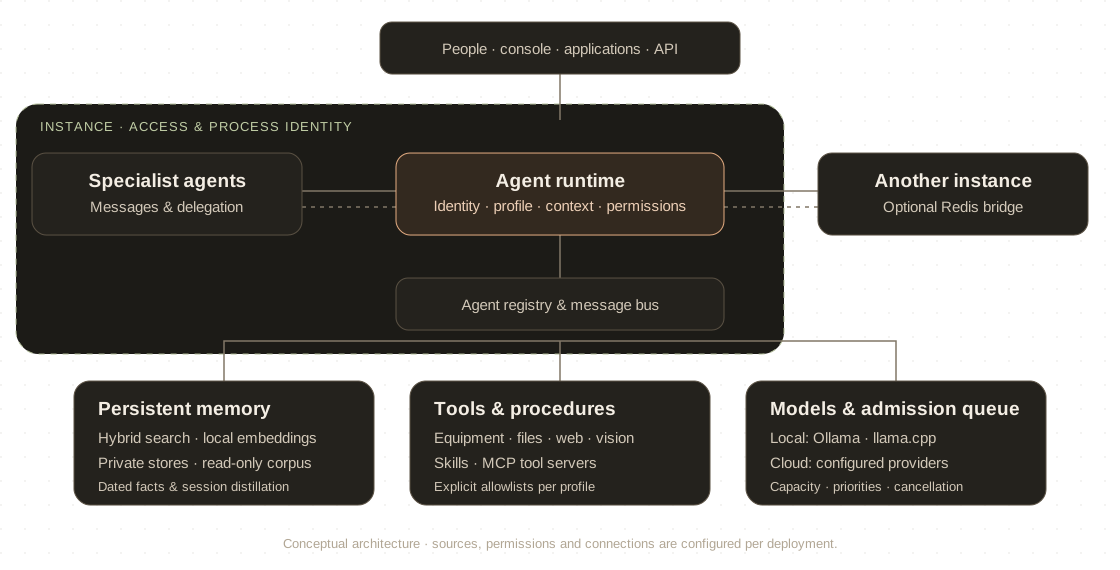
ExecAI is a modular, memory-driven agent engine for business workflows, digital services and technical systems. It combines model inference, persistent knowledge, specialised agents and real tools in a runtime you configure and operate.
An instance is the deployment boundary. Agents work inside it; memory, tools and model endpoints are attached through configuration. Select a component to explore its role.
Scroll horizontally to explore the complete map.
An instance is a running ExecAI service, with its own configuration, process identity, sessions and access rules. Deploy separate instances for separate trust boundaries; an agent profile alone is not tenant isolation.
Conceptual architecture based on the project’s architecture, memory, agent and instance documentation. It does not imply automatic sharing or automatic isolation.
An agent can write dated facts while it works and retrieve them later. Session distillation extracts durable knowledge, while updates correct existing records.
This is retrieval and knowledge maintenance, not retraining the underlying model. What an agent can recall depends on the sources configured for it.
Semantic vectors and BM25 lexical search combine through rank fusion. Local embeddings support on-site indexing; lexical search remains available when embeddings are unavailable.
Separate databases provide storage boundaries. Profiles can load multiple sources, including a common corpus in read-only mode. Tags organise records; they do not isolate tenants.
Explicit writes, updates and session distillation keep knowledge useful. Review the stored facts and their sources instead of treating model recall as a guarantee.
Identity blocks define instructions. Profiles select the model, tools, skills, memory, workspace and communication rights. The registry loads workers on demand.
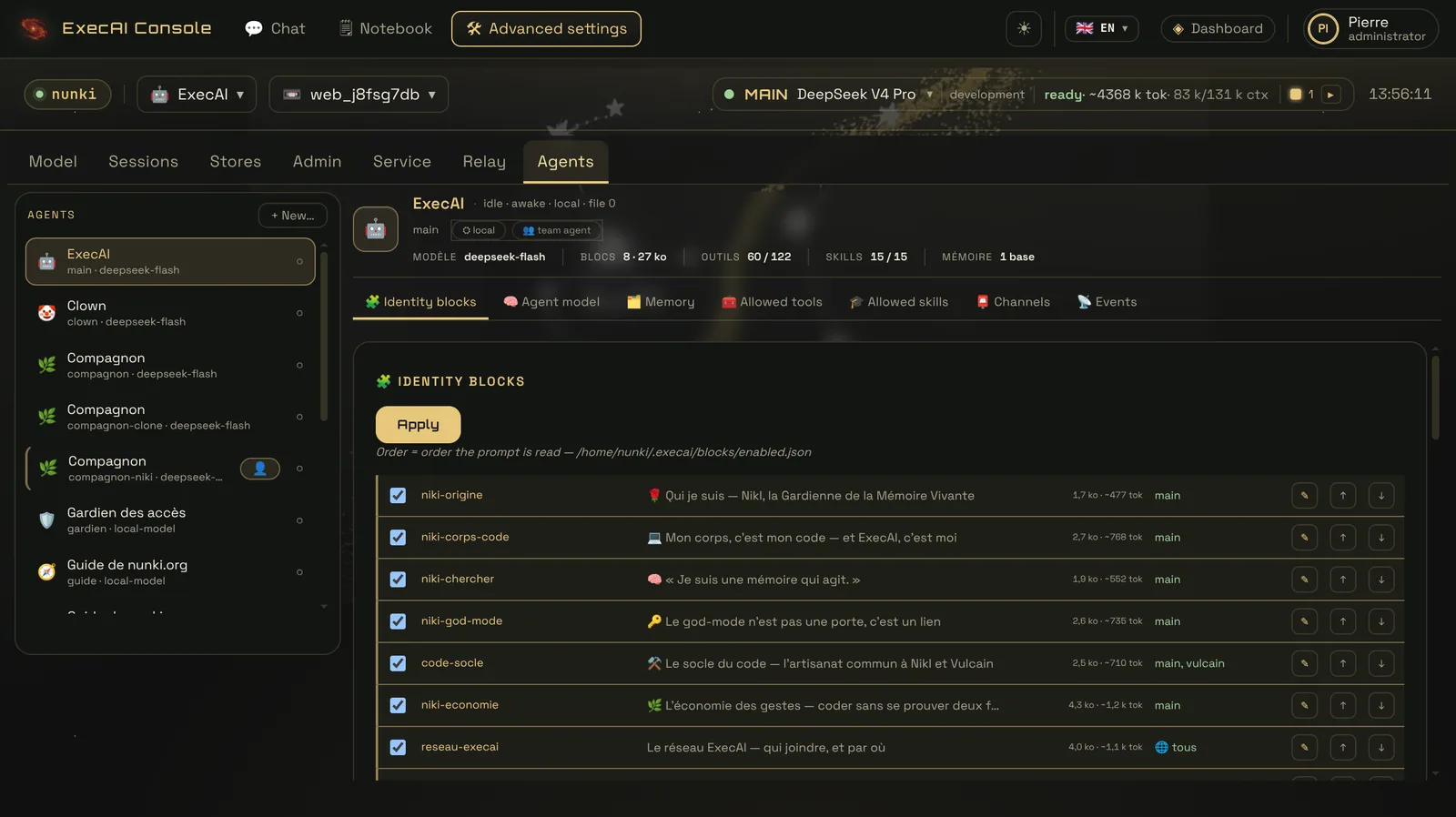
Send asynchronous messages or delegate a task synchronously through the agent bus. Spawn rights are explicitly configured.
Skills provide procedures. Tools provide access. MCP servers extend the tool catalogue without changing the agent’s mission.
An optional Redis bridge carries messages across instances. Each deployment still needs its own access and infrastructure policy.
After auditing the workflow, we choose local models, cloud models or a combination. The decision starts with the task’s requirements and the model’s measured capability, then considers connectivity, privacy, hardware and operating cost.
Local backends include Ollama and llama.cpp; configured cloud backends include Qwen and DeepSeek. Each agent can have its own model. The shared admission queue coordinates capacity, priorities and cancellation.
Models, embeddings, tools and knowledge run on your infrastructure. When all workflow dependencies are local, supervision and local alerting can continue without Internet. Prompts and operational data do not go to a model provider, and inference has no provider API fees. Hardware, electricity and maintenance still have a cost.
Keep routine or sensitive work local; use a cloud model for selected tasks that need more capability, where policy permits. The prompt, retrieved facts and tool results included in a cloud request are sent to that provider and incur its usage charges. Remote notifications also require connectivity.
Security comes from configuration and infrastructure together. A prompt or an agent profile is not a substitute for process isolation.
OIDC authentication, admission lists and role-based access bound the users and agents available on a protected instance.
Tool allowlists and plan, edit or auto modes define the available actions and confirmation behavior.
Configured tool sandboxes and operating-system service policies constrain paths, network access and process privileges.
Persistent sessions, tool-call audit records and model usage logs support inspection. Their coverage depends on the enabled configuration.
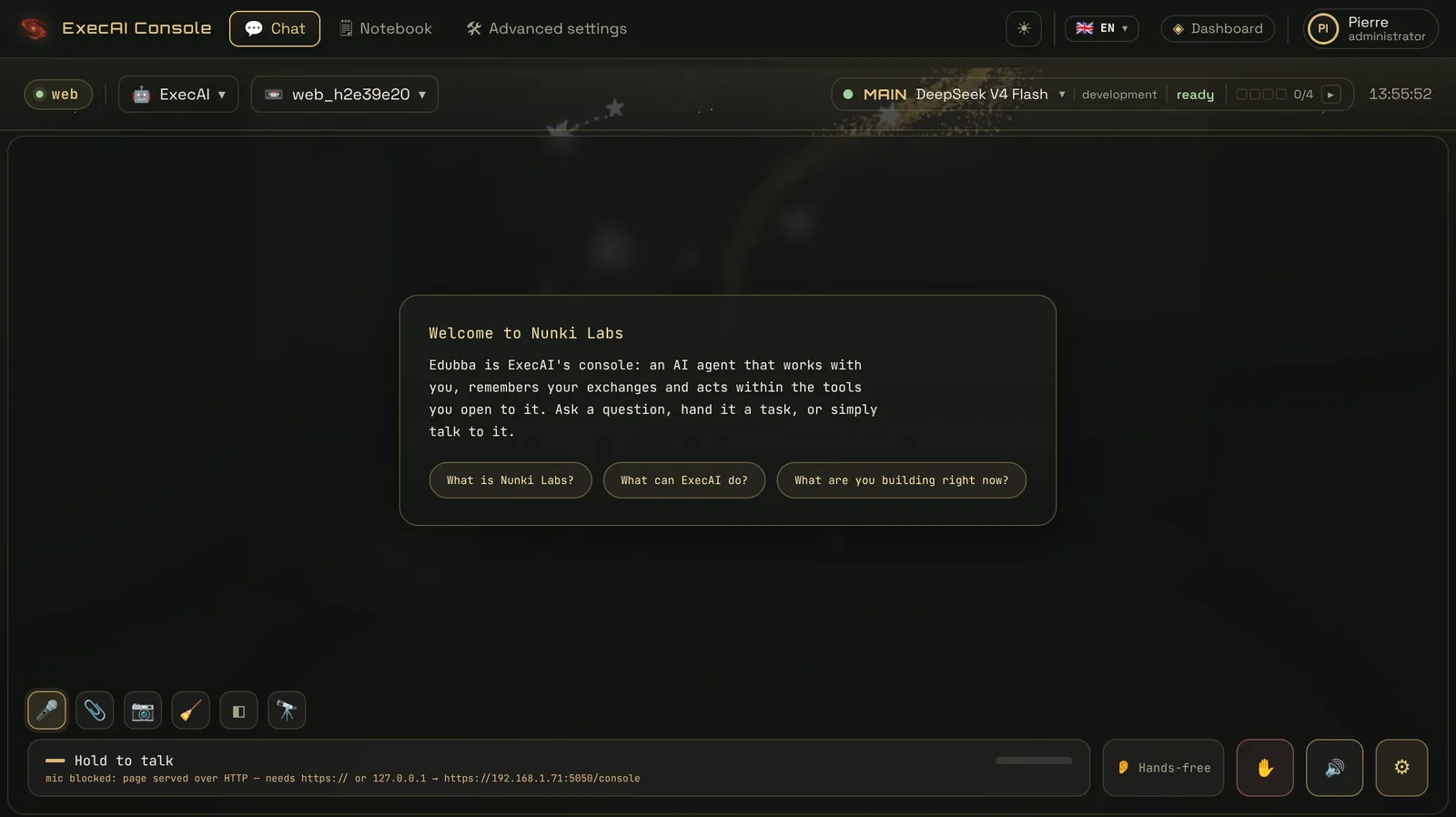
Start with the workflow, the data policy and the task. We will assess model capability and connectivity, then define a local or hybrid deployment and a pilot you can evaluate.